
Advantage+ sales campaigns: setup, existing-customer caps and when they work
Advantage+ sales campaigns (formerly Advantage+ shopping) let Meta automate audience, placements and budget in one campaign. Set up well, they are the backbone of most D2C accounts. Set up badly, they quietly retarget your existing buyers.
Key takeaways
- Advantage+ sales campaigns automate audience, placements and budget inside one campaign.
- Define “existing customers” before launch, or you can’t measure or cap them.
- The existing-customer budget cap stops the campaign living off people who’d buy anyway.
- Results depend on creative variety and clean purchase tracking more than on settings.
For most D2C brands we work with, an Advantage+ sales campaign is the main Meta campaign. It is simple to launch and often beats a stack of manual campaigns. But “simple to launch” hides a few settings that decide whether it finds new customers or just retargets old ones.
What Advantage+ sales campaigns are
Meta’s developer docs describe Advantage+ shopping campaigns as a single campaign that replaces a portfolio of manual sales campaigns. In December 2025 Meta moved to one unified creation flow. Sales campaigns using Advantage+ audience, Advantage+ campaign budget and Advantage+ placements now run as Advantage+ sales campaigns.
What Meta automates:
- Targeting: you can launch with only a country.
- Placements: Advantage+ placements let the system choose where ads appear across Meta’s apps and network.
- Creative: Meta can test up to 150 combinations of your ads and lean toward the best.
- Budget: one shared budget rather than fixed splits across ad sets.
Step 1: define your existing customers
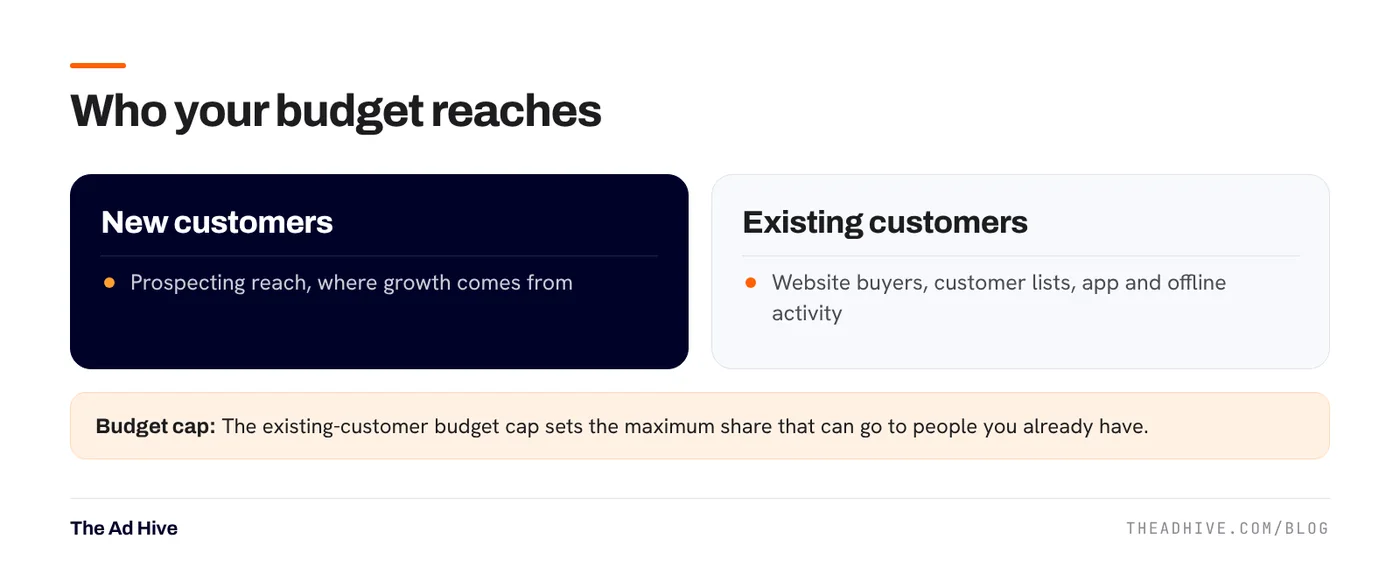
This is the setting most people skip. Meta lets you tell it who your existing customers are, using custom audiences from:
- Website activity (for example, purchasers in the last 180 days).
- Customer lists you upload.
- App activity, catalogue activity and offline activity.
Without this, Meta can’t report new vs existing customer results, and you can’t cap spend on existing ones.
Step 2: set the existing-customer budget cap
The cap sets the maximum share of budget that can go to existing customers. Meta notes that lower values may raise your cost per conversion, because existing customers are usually the cheapest to convert.
How we choose the number:
- Growth focus: keep the cap low, so most spend reaches new people. Run retention through email, WhatsApp and a separate small campaign if needed.
- Profit focus or high repeat rate: allow a higher share, if repeat buyers are profitable at that cost.
- Check results by segment after two to three weeks and adjust.
Step 3: feed it creative variety
Advantage+ works through Andromeda, Meta’s ad retrieval system. It matches people to ads using what is in the ads. Ten versions of one idea give it little to work with. Build distinct concepts: different problems, benefits, formats and faces. Our Andromeda explainer covers why, and our creative testing framework covers how.
Step 4: get tracking right
Advantage+ optimises toward purchases. If purchase events are missing, duplicated or carry the wrong value, it learns the wrong thing.
- Run the pixel and the Conversions API together, with deduplication. See our Conversions API setup checklist.
- Send purchase value after discounts, in the right currency.
- Check Event Match Quality in Events Manager.
When a manual campaign still makes sense
- Strict placement needs. If your brand must avoid certain placements, manual control may be easier.
- Clean tests. Testing one variable, like a new offer, is often clearer in a separate campaign.
- Very small catalogues or budgets, where a focused campaign gives faster learning.
- Lead generation. Advantage+ sales is built for purchases. Lead-gen needs a different setup.
How to read results
Meta’s purchase value is Meta-attributed and includes orders later returned or cancelled. It’s not the same as store sales. Compare it with new-customer revenue in your store over the same dates, and track blended efficiency. Also note Meta’s January 2026 reporting change removed 7-day and 28-day view windows from the API, which changes how results compare with older reports. Our Meta attribution guide explains what to use now.
If new-customer share is falling while reported ROAS climbs, the campaign is probably leaning on existing buyers. Lower the cap or tighten your existing-customer definition.
We set up and run Advantage+ sales campaigns as part of our PPC management service. If you want a review of an existing setup first, start with our forensic PPC audit.
Frequently asked questions
What happened to Advantage+ shopping campaigns?
Meta moved to a unified campaign creation flow in late 2025. Sales campaigns that use Advantage+ audience, Advantage+ campaign budget and Advantage+ placements now run as Advantage+ sales campaigns, replacing the separate shopping campaign setup.
How do I stop Advantage+ spending on existing customers?
Define your existing customers using custom audiences such as website purchasers and customer lists. Then set an existing customer budget cap, which limits the share of budget that can be spent on them.
How many ads should an Advantage+ sales campaign have?
Enough distinct concepts for the system to match different people. We usually run 8 to 15 live ads built on different ideas and formats, and add new ones every week or two.
Sources
- Meta for Developers: Advantage+ shopping campaigns (Marketing API docs)
- Engineering at Meta: Meta Andromeda (2 Dec 2024)
Sources checked on 15 November 2026. Platform features change often; check the linked pages for the latest details.
Want this done on your account?
We manage Google and Meta ads for e-commerce, D2C and lead-gen brands. Every engagement starts with a manual review of what is already running.
Related guides
Meta Andromeda explained: why your creative is now your targeting
Andromeda is the system Meta uses to pick which ads could be shown to each person. It changed what works on Meta, and many accounts felt…

A creative testing framework for Meta ads that works after Andromeda
The old way of testing Meta ads, one variable at a time in tiny ad sets, fights how Meta now delivers ads. Here is the testing…
Meta Conversions API: setup checklist, deduplication and Event Match Quality
Meta's delivery system can only learn from the purchases it sees. The Conversions API fills the gaps the pixel misses, if you set it up with…